How to monitor digital behaviour: 2026 guide
Monitoring digital behaviour is defined as the systematic tracking and analysis of online activity to identify patterns, risks, and habits across devices and networks. Families, schools, and organisations all face the same core challenge: understanding what is actually happening online, not just what people report. The gap between perceived and actual usage is where the real insights live. This guide covers the tools available to track online activity, how to set them up, and how to interpret the data in ways that build safety and trust rather than resentment.
How to monitor digital behaviour: tools and data sources
The most accessible way to start monitoring internet usage is through the built-in dashboards already on your devices. Apple’s Screen Time and Android’s Digital Wellbeing both provide detailed app usage data, including time per app, number of pickups, and scheduled downtime windows. These tools cost nothing and require no technical setup. They are the logical starting point for any family or organisation beginning to assess online behaviour.
Beyond built-in tools, specialised monitoring software adds a layer of contextual awareness. Bark, for example, monitors multiple platforms for specific warning signs like cyberbullying or grooming language, without giving parents full access to every message. That distinction matters enormously. Full surveillance erodes trust; alert-based monitoring preserves privacy while still catching what counts.

Browser extensions fill a different gap. Tools like Aware track web activity by site category, store data locally without cloud upload, and offer upgrade options for more detailed reporting. This makes them well suited to self-monitoring for productivity or to understanding digital habits in a workplace context.
Router-level monitoring sits at the top of the oversight pyramid. Network-wide router monitoring captures activity from every connected device without installing software on each one. It shows bandwidth use, connection times, and blocked content attempts from a single dashboard. For households with multiple devices or offices with shared networks, this approach provides the most complete picture.
Tool type | What it tracks | Best for |
Screen Time / Digital Wellbeing | App usage, pickups, screen time totals | Individuals and families |
Alert-based monitoring software | Warning language, platform-specific risks | Parents, schools |
Browser extensions | Site categories, session duration | Self-monitoring, workplaces |
Router-level monitoring | All connected devices, bandwidth, blocked content | Households, small offices |
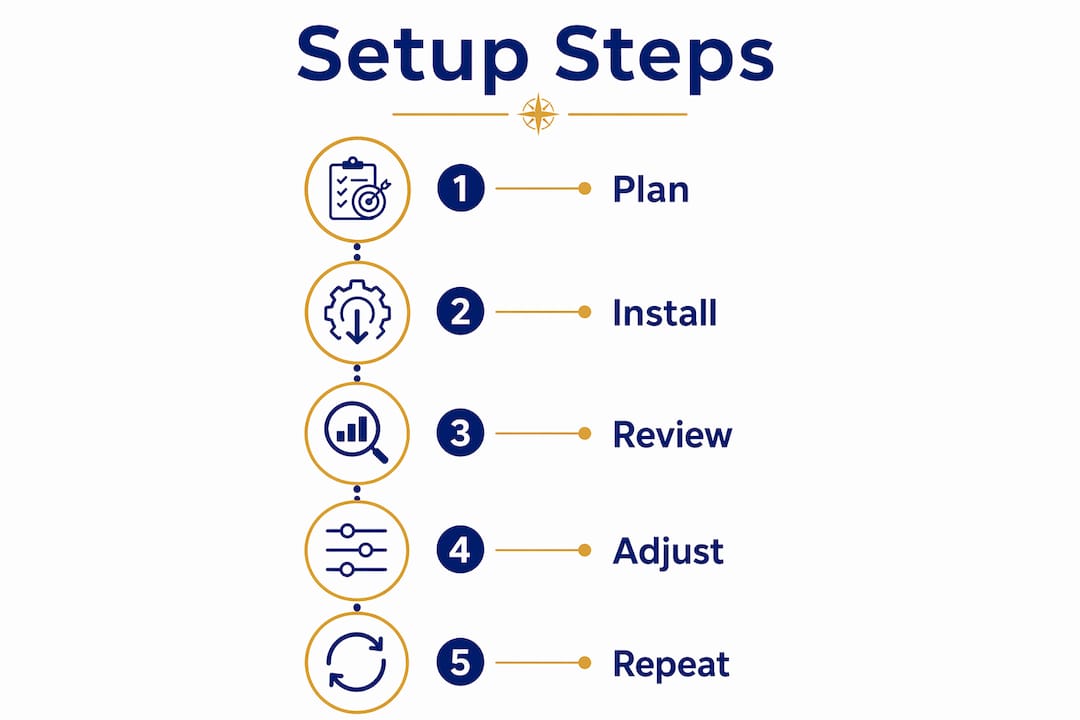
How do you set up these tools step by step?
Getting started does not require technical expertise. The following steps cover the four main tool categories.
Screen Time (iOS): Open Settings, tap Screen Time, and select “Turn On Screen Time.” Choose “This is My Child’s iPhone” for parental oversight. Set app limits under “App Limits” and review the weekly report every Sunday.
Digital Wellbeing (Android): Open Settings, search “Digital Wellbeing,” and tap the dashboard. Set daily timers for individual apps and enable Bedtime Mode to reduce late-night use.
Alert-based monitoring software: Create an account with your chosen service, connect the child’s accounts or devices through the app, and configure alert sensitivity. Review alerts as they arrive rather than checking logs daily.
Browser extensions for self-monitoring: Install Aware from your browser’s extension store. The free version tracks local data by site category with no cloud upload. Enable the weekly summary email to review patterns without obsessing over daily numbers.
Router monitoring: Log into your router’s admin panel (usually at 192.168.1.1), locate the traffic or parental controls section, and enable activity logging. Some routers support third-party firmware that provides richer reporting.
The most common mistake is checking data too frequently. Daily reviews create anxiety and miss the forest for the trees. Weekly reviews reveal genuine patterns.
Pro Tip: Set a recurring calendar reminder for Sunday evenings to review the week’s data. Consistency in timing makes it easier to spot changes in digital habits over time.
What should you look for when you analyse digital habits?
Raw screen time numbers tell you very little on their own. Screen Time data alone can mislead; what matters is the type of app, the context of use, and the pattern of pickups. Two hours on a coding tutorial platform is qualitatively different from two hours of passive short-video scrolling. Both show up the same way in a total-time report.
Focus on these signals when reviewing data:
Pickups: A high pickup count with short sessions suggests compulsive checking rather than intentional use. Forty pickups in a day is a different problem from four.
App category breakdown: Educational, creative, and communication apps carry different risk profiles than entertainment or social media apps. Look at the ratio, not just the total.
Time of use: Late-night activity, particularly after 10 PM, is a reliable warning sign. It often correlates with sleep disruption and, in younger users, exposure to unmoderated content.
Content avoidance: If a child or employee consistently avoids certain apps or clears history before a review, that pattern is itself informative.
Sudden changes: A sharp drop in social media use or a spike in a new app category warrants a conversation, not an assumption.
The goal of analysis is not to catch people out. It is to understand what is driving the behaviour so you can respond with care rather than reaction.
Pro Tip: Before showing anyone their usage data, ask them to guess their own numbers first. The gap between perception and reality opens the conversation naturally and without confrontation.
What are the ethical boundaries of monitoring digital behaviour?
Effective monitoring is built on transparency, not secrecy. Covert tracking damages trust in ways that outlast any short-term safety gain. When the person being monitored discovers they were watched without their knowledge, the relationship suffers more than the behaviour ever did.
The shift from surveillance to accountability is not just ethical. It is more effective. Tools that share progress visibility with the monitored person, rather than hiding it from them, produce better long-term outcomes. The monitored individual becomes a participant in their own digital wellbeing rather than a subject of investigation.
Age-appropriate monitoring looks different at every stage. A seven-year-old needs active oversight with clear limits. A fifteen-year-old needs guided autonomy with agreed boundaries. A workplace employee needs policy-based monitoring with written consent and a clear purpose. Monitoring works best when paired with open explanations and regular reviews that adjust as circumstances change.
“The most powerful thing monitoring data can do is start a conversation. When a child sees their own usage numbers and realises they spent three hours on a single app, the data does the heavy lifting. You don’t have to be the bad guy. The numbers speak for themselves, and that changes everything about how the conversation goes.”
Privacy limits matter too. Monitoring should target risk indicators, not capture everything. Reading every message, tracking every keystroke, or logging every search query crosses from oversight into surveillance. That line is worth drawing clearly before you start, not after.
Key takeaways
Monitoring digital behaviour works best when it combines the right tools with transparent communication and consistent review habits.
Point | Details |
Start with built-in tools | Screen Time and Digital Wellbeing provide free, detailed usage data with no setup required. |
Use alert-based monitoring | Tools that flag warning signs protect privacy better than full-access surveillance. |
Analyse patterns, not totals | Pickups, app categories, and time of use reveal habit quality better than raw screen time. |
Transparency builds cooperation | Telling people they are being monitored, and why, produces better outcomes than covert tracking. |
Review weekly, not daily | Weekly data reviews reveal genuine behavioural patterns without creating anxiety. |
What I’ve learned from years of watching families get this wrong
Working with families and organisations over many years, I have seen the same mistake repeated. Parents install monitoring software in secret, convinced that transparency will cause their child to hide more. It almost always backfires. The child finds out, the trust breaks, and the monitoring becomes the problem rather than the solution.
The families who get this right do something counterintuitive. They sit down with their child, show them the monitoring tool, and explain exactly what it tracks and why. That conversation, grounded in digital safety education, is more protective than any software. It teaches the child to think critically about their own habits rather than just avoiding detection.
Organisations face a parallel challenge. Employees who understand why their internet usage is monitored, and what the data is used for, are far more likely to cooperate and self-regulate. Resistance almost always traces back to a lack of explanation, not a lack of policy.
The most underused feature in any monitoring setup is the conversation it enables. Data without dialogue is just numbers. Data with dialogue is a foundation for genuine digital literacy and resilience. That is the real goal.
— Jemma
Cybercompassconsulting can help you build a monitoring plan that works
Knowing which tools to use is one thing. Knowing how to use the data to build a safer, healthier digital culture is another. Cybercompassconsulting brings over 35 years of experience in cyber wellness to families, schools, and organisations across Australia.
Whether you are a parent trying to understand your child’s online world, a school building a cyber wellness programme for students, or a business developing responsible monitoring policies for your team, Cybercompassconsulting offers evidence-based support tailored to your context. The cyber wellness plans go beyond tools and checklists to address the behavioural and cultural factors that determine whether monitoring actually works. Reach out to start a conversation about what your situation needs.
FAQ
What is the easiest way to start monitoring digital behaviour?
The easiest starting point is the built-in Screen Time dashboard on iOS or Digital Wellbeing on Android. Both are free, require no installation, and provide app usage, pickup counts, and time-of-use data immediately.
Is it legal to monitor someone’s online activity?
Monitoring is legal when the device is owned by the monitoring party, such as a parent monitoring a child’s device or an employer monitoring a company device, and when the monitored person has been informed. Covert monitoring of adults on personal devices raises serious legal and ethical concerns.
How often should I review digital behaviour data?
Weekly reviews are the most effective frequency. Daily checks create noise and anxiety, while monthly reviews miss emerging patterns. A consistent weekly review, at the same time each week, makes changes in digital habits easy to spot.
What warning signs should I look for in usage data?
Late-night activity after 10 PM, a high number of short pickups, sudden changes in app category use, and consistent history-clearing before reviews are the most reliable warning signs of problematic digital habits.
Can monitoring damage trust with children or employees?
Covert monitoring consistently damages trust when discovered. Transparent monitoring, where the purpose and scope are explained clearly, builds cooperation and supports healthy digital habits rather than undermining them.
Recommended
Comments