How to monitor online activity safely: 2026 guide
Safe online activity monitoring is the practice of using technical controls, selective alerts, and open communication to protect family members from digital threats without invading their privacy. Most families think monitoring means reading every message or tracking every click. It does not. The most effective approach combines tools like Apple Screen Time, Google Family Link, and privacy-focused browser extensions like Scout Online Accountability with regular, honest conversations. Understanding how to monitor online activity safely means choosing the right layer of protection for each device, each person, and each stage of life.
What are the best tools for online monitoring?
The right monitoring tool depends on your family’s needs, your children’s ages, and how much visibility you actually need. Built-in operating system tools are the logical starting point. Apple Screen Time, Microsoft Family Safety, and Google Family Link are free, well-supported, and cover the most common risks without requiring technical expertise. Each offers screen time limits, content filters, and app controls.
Beyond built-in options, privacy-focused browser extensions add a useful layer. Scout Online Accountability monitors specific websites or keywords and sends notifications only when something is flagged. It does not store browsing history, which means you get alerts without constant surveillance. That distinction matters. Constant surveillance erodes trust. Targeted alerts build it.

For families dealing with higher-risk situations, on-device AI apps like KidsNanny go further. On-device AI scanning detects cyberbullying, predatory contact, self-harm signals, and explicit content in real time without uploading data to external servers. The screen content stays on the child’s device. That is a meaningful privacy protection, not just a marketing claim.
The stealth monitoring versus transparent monitoring debate is real. Covert tracking might feel safer for a parent, but the evidence points the other way. Stealth mode monitoring damages trust and long-term relationships. Transparent monitoring, where children know what is being tracked and why, produces better outcomes.
Tool | Type | Key feature | Privacy impact | Setup difficulty |
Apple Screen Time | OS-level | App limits, content filters | Low | Easy |
Google Family Link | OS-level | Location, app approval | Low | Easy |
Microsoft Family Safety | OS-level | Screen time, content filters | Low | Easy |
Scout Online Accountability | Browser extension | Keyword alerts, no history stored | Very low | Easy |
KidsNanny | AI on-device app | Real-time risk detection, no upload | Very low | Moderate |
Pro Tip: Start with one built-in tool before adding third-party apps. Layering too many tools at once creates alert fatigue and makes it harder to respond to genuine risks.
How to set up safe online monitoring with a layered approach
A layered approach means protection follows your child across every network, not just your home Wi-Fi. Wi-Fi-only filters are limited. The moment a child connects to a friend’s network or uses mobile data, those filters disappear. OS-level controls travel with the device. That is why they form the foundation of any solid setup.
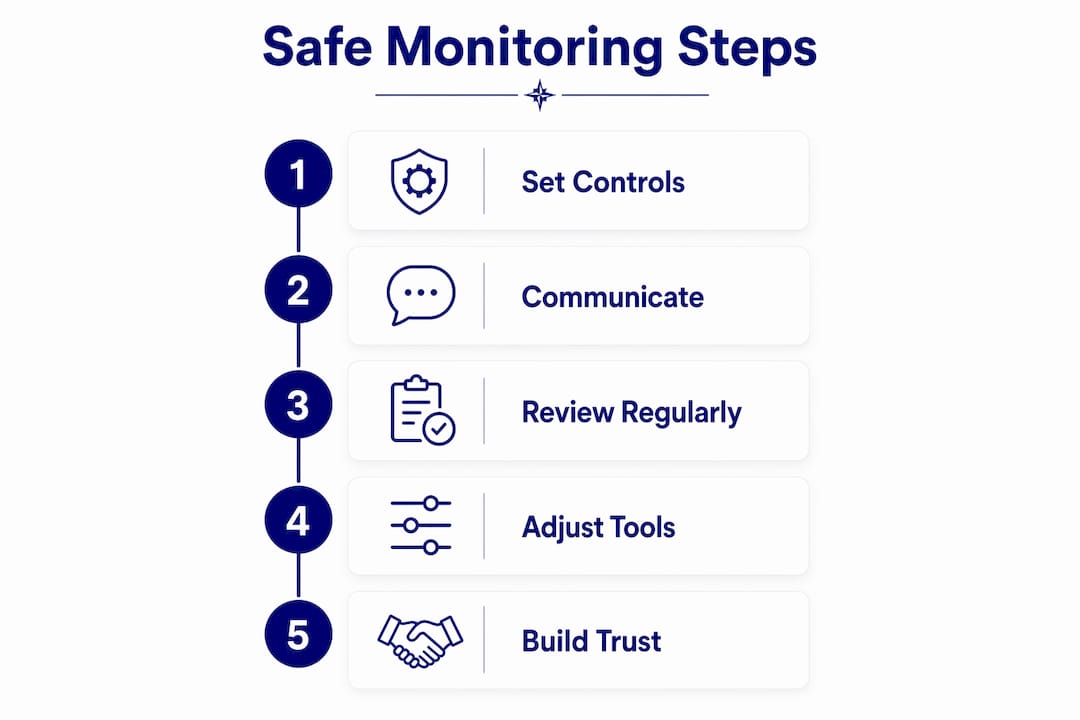
Here is a practical setup sequence:
Start at the network level. Configure your home router’s built-in content filters. Most modern routers from providers like Telstra and Optus include basic content filtering in their settings. This catches risks before they reach any device.
Activate device-level controls. Open Settings on each device and enable the built-in parental controls. Basic parental controls through Apple Screen Time or Android Family Link take under 5 minutes to configure. Set age-appropriate content restrictions and daily screen time limits.
Configure app-level safety settings. Platforms like YouTube, Roblox, and WhatsApp each have their own safety settings. Enable Restricted Mode on YouTube. Turn on Family Pairing in TikTok. Disable direct messaging in Roblox for younger children.
Cover secondary devices. Gaming consoles like PlayStation and Xbox have their own parental control systems. Secondary tablets, old smartphones, and school-issued devices all need the same attention as primary devices. A gap in one device is a gap in the whole system.
Add selective alert tools. Once OS-level controls are active, add a browser extension like Scout or an AI app like KidsNanny for flagged-content alerts. These tools supplement, not replace, the controls already in place.
Review settings every three months. Children’s needs change. A filter appropriate for a ten-year-old is frustrating and counterproductive for a fifteen-year-old. Regular reviews keep the setup relevant.
Pro Tip: Create a shared family document listing every device, its controls, and the last review date. It takes ten minutes to set up and prevents gaps from going unnoticed for months.
The eSafety Commissioner recommends a 1:1 ratio of parental involvement to technical tools. Every control you set up should be matched by a conversation about why it exists.
What communication strategies make monitoring actually work?
Technical controls are the floor, not the ceiling. The families who navigate online risks best are not the ones with the most sophisticated software. They are the ones who talk about it regularly.
The eSafety Commissioner is clear that parental controls complement but do not replace parental guidance. Software cannot explain why a stranger asking for photos is dangerous. A parent can. That gap is where most online harm actually happens.
Practical communication strategies that work:
Weekly digital check-ins. A ten-minute conversation about what your child saw, played, or experienced online builds the habit of openness. It does not need to be formal or interrogative.
Age-appropriate conversations. A seven-year-old needs different language than a fourteen-year-old. Adjust the depth and detail to match their stage of development.
Involve children in choosing controls. Engaging children in selecting controls builds shared responsibility rather than an adversarial dynamic. Ask them what feels fair. Their buy-in makes the whole system more effective.
Explain the why, not just the what. “We use Screen Time because the internet has some content that isn’t right for your age” lands very differently than a silent restriction appearing on a device.
“Parental controls are a foundation, not a replacement for guidance.” — ConnectSafely, Family Guide to Parental Controls
The ConnectSafely Family Guide stresses that too much monitoring information can actually erode trust. Tools that provide summaries or targeted alerts are far preferable to dashboards showing every click. You want to know when something is wrong. You do not need to know everything.
Building healthy digital habits alongside monitoring creates a much stronger safety net than controls alone. The goal is a child who makes good decisions when no filter is watching.
Common challenges when tracking internet usage safely
Every family hits obstacles. Knowing them in advance makes them far less disruptive.
The most common challenge is children bypassing controls. A child who knows the family Wi-Fi password can turn off the router filter. A teenager with a second SIM card bypasses home network controls entirely. OS-level tools that follow the device regardless of network are the practical answer here.
Challenge | Effective solution |
Bypassing home Wi-Fi filters | Use OS-level controls that work on any network |
Secondary devices without controls | Audit all devices quarterly and apply controls to each |
Privacy concerns from older children | Switch to summary-based tools and involve them in the process |
Settings becoming outdated as children age | Schedule a review every three months |
Alert fatigue from too many notifications | Reduce to keyword-based or AI-flagged alerts only |
Privacy concerns are legitimate, especially with teenagers. The answer is not to abandon monitoring. The answer is to shift from surveillance to oversight. Summary reports and targeted alerts respect autonomy while maintaining safety.
Watch for signs that your current setup needs adjustment: your child becomes secretive about devices, mentions content that should have been filtered, or expresses strong resentment about the controls in place.
When those signs appear, the response is a conversation first and a settings review second.
Pro Tip: If a teenager pushes back hard against monitoring, offer to move from full controls to keyword-alert-only tools like Scout. Giving them more autonomy in exchange for transparency often works better than a standoff.
Understanding the full range of online risks for kids helps you calibrate which controls matter most at each age.
Key takeaways
Safe online monitoring works best when technical controls, transparent communication, and regular reviews operate together as a single system.
Point | Details |
Layer your controls | Combine network, OS-level, and app-level tools so protection follows every device. |
Choose transparent over covert | Stealth monitoring damages trust; targeted alerts with open dialogue produce better outcomes. |
Match tools to age and need | Built-in tools suit most families; AI on-device apps add value in higher-risk situations. |
Involve your children | Shared responsibility builds digital literacy and reduces adversarial dynamics. |
Review settings regularly | Children’s needs change; a quarterly review keeps controls relevant and effective. |
My honest take on monitoring and trust
I have sat with enough families to know that the ones who rely entirely on software are often the most blindsided when something goes wrong. The filter blocked the obvious risks. The child found a workaround for everything else. That is not a failure of technology. It is a failure of the assumption that technology is enough.
What I have seen work, consistently, is the combination. A parent who sets up Apple Screen Time and then never talks about it has done half the job. A parent who has weekly check-ins but no controls has done the other half. Neither is sufficient on its own.
The thing that troubles me most is covert surveillance. I understand the impulse. You are scared. You want to know everything. But a child who discovers they have been secretly tracked does not feel protected. They feel betrayed. That betrayal is harder to repair than almost any online incident.
The tools I trust most are the ones that give you a signal without giving you a transcript. A keyword alert that says “this conversation flagged a concerning word” is useful. A full log of every message your child has ever sent is not parenting. It is surveillance. There is a real difference.
My advice is to treat monitoring as an educational aid. Use it to start conversations, not to build a case. The goal is a child who eventually does not need the controls because they have internalised the judgement. That takes time, consistency, and a lot of honest conversation. No app ships with those features.
— Jemma
How Cybercompassconsulting supports families with online safety
Knowing which tools to use is one thing. Knowing how to put them together for your specific family is another. Cybercompassconsulting works with families to build personalised cyber wellness plans that combine the right technical controls with communication strategies grounded in behavioural science.
With over 35 years of experience in cyber wellness and digital safety, Cybercompassconsulting offers family cyber wellness plans tailored to your children’s ages, your household’s devices, and your family’s values. Virtual consultations are available through the cyber safety consulting service, making it straightforward to get expert guidance without leaving home. If you are ready to move from guesswork to a clear plan, book a consultation and get started.
FAQ
What is the safest way to monitor a child’s online activity?
The safest approach combines OS-level tools like Apple Screen Time or Google Family Link with transparent communication. Parental controls work best when paired with regular conversations rather than used as a silent surveillance system.
How do I stop my child from bypassing parental controls?
Use OS-level controls that travel with the device rather than relying on Wi-Fi filters alone. Device-level controls remain active on any network, including mobile data and friends’ Wi-Fi.
Are there monitoring tools that protect privacy?
Yes. Privacy-focused tools like Scout Online Accountability send alerts only for flagged keywords without storing browsing history. On-device AI apps like KidsNanny scan content locally without uploading data to external servers.
How often should I update parental control settings?
Review settings every three months, or whenever your child moves to a new stage of development. Controls appropriate for a primary school child are often too restrictive for a teenager and can damage trust if left unchanged.
Should I tell my child I am monitoring their activity?
Yes. Transparency with children maintains trust and produces better long-term outcomes than covert tracking. Explaining what is monitored and why turns the conversation into a digital literacy lesson rather than a source of conflict.
Recommended
Comments