The role of digital habits in safety: 2026 guide
Digital habits are the repeated, often automatic behaviours people perform online, and they are the single greatest determinant of personal cybersecurity outcomes. Whether you use a password manager or reuse the same password across every account, whether you update your software promptly or ignore the notification for weeks, these small daily choices compound into either a strong defence or a serious vulnerability. The role of digital habits in safety extends beyond data protection too. It shapes mental health, family wellbeing, and how confidently your children navigate an increasingly complex online world. Tools like 1Password, Microsoft Authenticator, and behavioural nudges from platforms like Screen Time are part of the picture, but the habits behind them matter most.
How do digital habits impact online safety and mental health?
Digital habits directly cause or prevent the majority of security incidents. 68% of data breaches result from human error. That figure tells us that technology alone does not protect us. The person using the technology is the deciding factor.
The connection between habitual digital behaviour and mental health is just as significant. Digital addiction drives approximately 31% of social media use, contributing around 48 minutes of excess usage per day. That is not a minor inconvenience. It is nearly an hour of compulsive engagement that erodes focus, sleep, and self-regulation, all of which are foundational to safe online behaviour.
For younger users, the stakes are even higher. Adolescents spending more than 2 hours per day on social media show a significantly higher risk of mental health problems within a year, particularly at ages 12 and 13. That translates to roughly 11 additional cases of high depressive symptoms per 100 adolescents. A child struggling with anxiety or low mood is also a child less equipped to make careful, considered decisions online.
“Self-control problems contribute to ongoing usage habits, increasing safety risks through compulsive checking.” — Brookings Institution
Social media and smartphone use rank highest for perceived self-control problems, driven by habit formation that reinforces future use. The design of these platforms is not neutral. Algorithmically served content is engineered to keep you scrolling, and that design exploits the same habit loops that make safe digital routines so hard to build and maintain. This is a systemic problem, not a personal failing.
Safe versus risky digital habits: what does the difference look like?
The gap between a secure digital life and a vulnerable one often comes down to a handful of daily choices. The table below makes that contrast concrete.

Safe habit | Risky habit |
Using a unique 16+ character password for every account | Reusing the same password across multiple sites |
Enabling multi-factor authentication (MFA) on all accounts | Relying on a password alone for account access |
Installing software updates within 24 hours of release | Dismissing update notifications for weeks or months |
Pausing before clicking links in emails or messages | Clicking links reflexively without checking the sender |
Reviewing privacy settings on apps every few months | Leaving default privacy settings unchanged indefinitely |
Sharing personal information selectively and deliberately | Oversharing location, routines, or personal details publicly |
Using unique 16+ character passwords, enabling MFA, and patching software promptly are the three habits that most directly reduce breach risk. Each one addresses a different attack vector: credential theft, account takeover, and software vulnerabilities respectively.
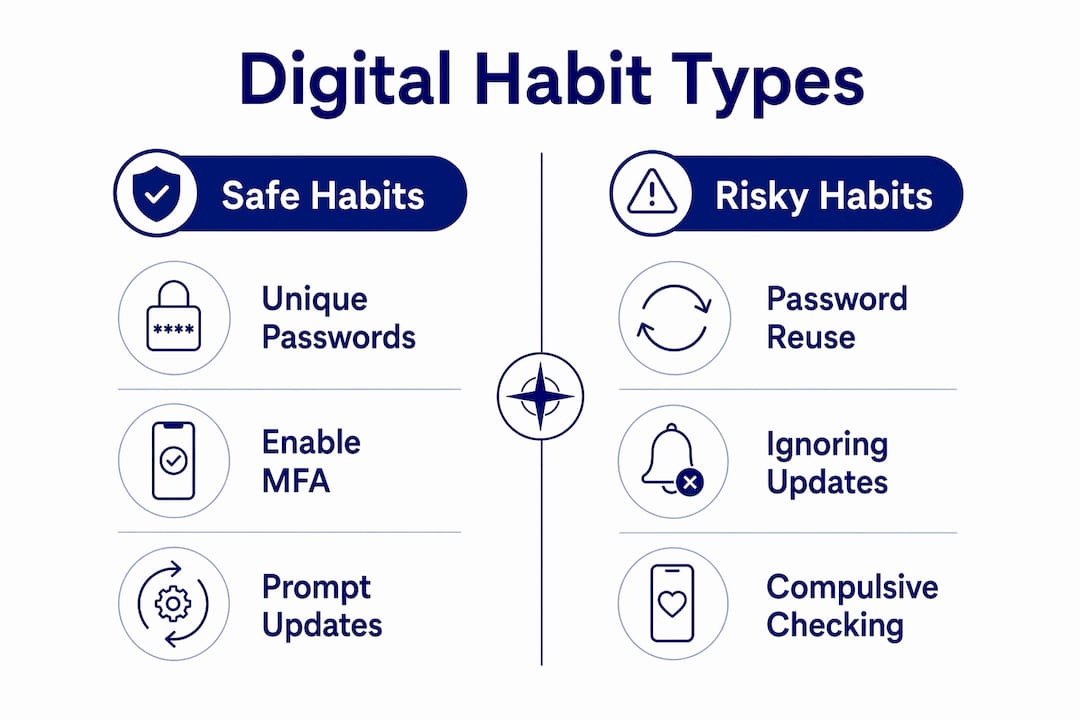
The risky side of this table is not about carelessness. Compulsive checking, password reuse, and ignoring updates are largely habit-driven. They feel low-effort in the moment because they are automatic. That automaticity is exactly what makes them dangerous.
Pro Tip: If remembering unique passwords feels impossible, it is because it genuinely is. A password manager like 1Password or Bitwarden generates and stores strong, unique credentials for every account. You only need to remember one master password.
How can families build and maintain safe digital habits?
Building safe digital habits in a family setting requires a different approach than simply setting rules and enforcing them. Rigid restrictions tend to backfire. Overly strict screen time bans increase anxiety and compulsive checking rather than reducing them. What works better is building resilience and self-regulation from the inside out.
Here is a practical framework for families to follow:
Start with conversation, not control. Talk openly about why certain habits matter. A teenager who understands that data privacy education includes knowing how personal information is collected and shared across platforms is far more motivated to protect themselves than one who has simply been told “no.”
Use behavioural nudges rather than bans. Nudges like break reminders and reward systems promote healthier digital habits more effectively than guilt-based restrictions. They preserve autonomy, which matters enormously to children and teenagers.
Model the habits you want to see. If you check your phone at the dinner table, your children notice. Demonstrating deliberate, intentional technology use is more persuasive than any rule.
Support the physical foundations of self-regulation. Lack of exercise, poor diet, and sleep disruption increase the risk of internet addiction. Regular physical activity and consistent sleep routines are not separate from digital safety. They are part of it.
Review and reassess regularly. Digital platforms change constantly. A privacy setting that was appropriate six months ago may no longer be. Schedule a monthly family check-in on apps, accounts, and habits.
Celebrate progress, not perfection. Habit formation takes time. Acknowledge when a family member enables MFA or resists a suspicious link. Positive reinforcement builds the behaviour you want to see repeated.
For families wanting a deeper framework, the internet safety guide for families from Cybercompassconsulting covers collaborative strategies for caregivers and educators in detail.
Pro Tip: Set a recurring calendar reminder every three months labelled “Digital Safety Review.” Use it to update passwords, check privacy settings, and test your backups. Consistency is the habit.
What tools and practices can strengthen your digital safety?
The right tools reduce the cognitive load of safe digital behaviour. When security is automatic, you are far more likely to maintain it.
Password managers and MFA
Password managers like 1Password, Bitwarden, and Dashlane remove the burden of remembering unique credentials. MFA tools like Microsoft Authenticator and Google Authenticator add a second layer of verification that stops most account takeover attempts even when a password is compromised. These two tools together address the human error factor that sits behind the majority of breaches.
Software updates and automatic patching
Delaying software updates is one of the most common and most preventable risk factors in cybersecurity. Enable automatic updates on every device in your household. This applies to operating systems, browsers, apps, and router firmware. Attackers actively exploit known vulnerabilities in unpatched software, often within days of a patch being released.
Backup strategies
Follow the 3-2-1 backup strategy: keep 3 copies of your data, on 2 different types of media, with 1 stored offsite or in the cloud.
Test your backups quarterly. A backup you have never tested is a backup you cannot trust.
Use services like Backblaze or iCloud for automated offsite storage.
Privacy settings and monitoring
Review app permissions on iOS and Android every few months. Revoke access that is no longer needed.
Use tools like Have I Been Pwned to check whether your email address has appeared in a known data breach.
For families with children, parental monitoring tools like Bark or Circle provide oversight without the invasiveness of reading every message.
The online risks guide for parents from Cybercompassconsulting outlines specific risk categories and the tools best suited to address each one.
Key takeaways
The most effective approach to digital safety is building consistent, evidence-based habits that address human error, mental health, and privacy simultaneously.
Point | Details |
Human error drives most breaches | 68% of data breaches stem from human behaviour, making habits the primary security lever. |
Mental health and safety are linked | Excess social media use and poor self-regulation increase both mental health risks and security vulnerabilities. |
Safe habits are specific and teachable | Using MFA, unique passwords, and prompt updates are the three highest-impact safety habits for any household. |
Nudges outperform bans for families | Behavioural nudges preserve autonomy and are more effective than rigid restrictions, especially for children. |
Lifestyle supports digital resilience | Regular exercise, sleep, and nutrition strengthen the self-regulation needed to maintain safe digital routines. |
What I have learned from working with families on digital safety
I have spent years sitting with families who are genuinely trying to do the right thing online, and the pattern I see most often is this: they focus on the tools and ignore the habits. They install parental controls and feel like the job is done. But a filter does not teach a child why they should think before they share. A password manager does not help if no one in the family knows it exists.
What actually moves the needle is the conversation that happens before the tool is installed. When a parent explains to their 13-year-old that their data is a goldmine for advertisers, that every photo shared is potentially permanent, that the app asking for location access does not need it, something shifts. The child becomes a participant in their own safety rather than a subject of surveillance.
I also want to be honest about something the research confirms but most guides gloss over. The platforms themselves are designed to undermine your habits. The compulsive checking, the endless scroll, the algorithmically served outrage, these are not accidents. They are features. Acknowledging that takes the shame out of struggling with digital self-control and puts the responsibility where it partly belongs: with the companies building these systems.
That said, we cannot wait for platforms to change. The families I see making real progress are the ones who treat digital safety as an ongoing conversation, not a one-time setup. They revisit it. They adjust. They stay curious. That adaptability is, in my view, the most important digital habit of all.
— Jemma
How Cybercompassconsulting can help your family build safer digital habits
Cybercompassconsulting works with families, schools, and organisations to build evidence-based digital safety cultures that go beyond compliance. If you are ready to move from reactive worry to proactive confidence, the cyber wellness plan service is designed exactly for that. It combines behavioural science with practical, personalised strategies tailored to your family’s specific needs and risk profile. You can also book a consultation to speak directly with an expert about where to start. With over 35 years of experience in cyber wellness and human behaviour, Cybercompassconsulting brings the depth and care this work deserves.
FAQ
What is the role of digital habits in safety?
Digital habits are the repeated online behaviours that directly determine security outcomes. Safe habits like using MFA, unique passwords, and timely updates reduce the human error that causes 68% of data breaches.
How do online habits affect children’s mental health?
Adolescents using social media for more than 2 hours daily face a significantly higher risk of depressive symptoms within a year. Consistent digital routines, physical activity, and open family communication help reduce that risk.
What are the most important safe digital habits for families?
The three highest-impact habits are enabling multi-factor authentication, using a password manager for unique credentials, and installing software updates promptly. These address the most common causes of account compromise and data loss.
How do behavioural nudges help build better digital habits?
Nudges like break reminders, screen time summaries, and reward systems promote healthier digital behaviour without triggering resistance. Research shows they are more effective than bans, particularly for children, because they preserve a sense of choice.
What is the 3-2-1 backup rule and why does it matter?
The 3-2-1 rule means keeping 3 copies of your data on 2 different media types with 1 stored offsite. Most people only discover their backup strategy was inadequate after data loss has already occurred, making quarterly testing non-negotiable.
Recommended
Comments